CubicleExit

Best Laptops for Remote Work

Four picks, ranked on the specs that matter when your office moves with you.

Battery life and weight decide this category. A remote work laptop needs to run 10+ hours off the charger, stay near 3 lbs so it disappears in a backpack, and carry enough RAM for video calls stacked on top of a heavy browser session. All four picks below clear that bar, from a budget OLED to a business flagship, and each one is broken down in full further down the page.

Quick Answer

Top pick: Apple MacBook Air 13-inch (M5) at $1,249

We ranked on the two specs that make or break remote work: battery life and weight. At 18 hours per charge, 2.7 lbs, and 16GB of RAM standard, it runs a full workday of calls and tabs from any cafe, plane, or coworking space without hunting for an outlet.

Budget pick: ASUS ZenBook 14 OLED at $649

Premium pick: Lenovo ThinkPad X1 Carbon Gen 12 at $1,449

Compare the Picks

PickPriceWeightBatteryScreenBest For
Apple MacBook Air 13-inch (M5)$1,2492.7 lbsUp to 18 hours13.6" Liquid Retina (2560x1664)Best overall for going remote
Lenovo ThinkPad X1 Carbon Gen 12$1,4492.48 lbs~10.5 hours14" WUXGA (1920x1200) IPSBest for business professionals going independent
ASUS ZenBook 14 OLED$6493.04 lbsUp to 15 hours14" WUXGA (1920x1200) OLED touchscreenBest value pick
Dell XPS 13 9345$9992.6 lbsUp to 27 hours (claimed)13.4" FHD+ (1920x1200) 120HzBest for maximum battery life
Best overall for going remote#1
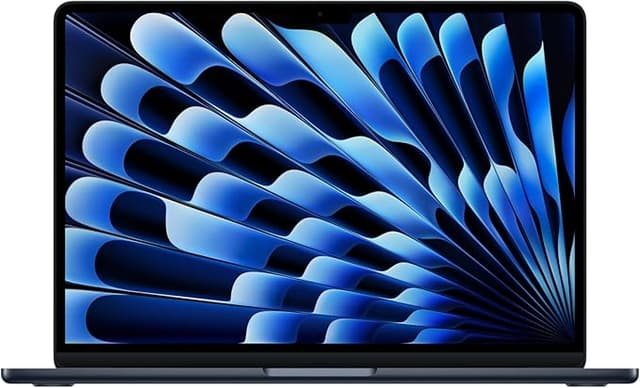
Apple MacBook Air 13-inch (M5)

Apple MacBook Air 13-inch (M5)

Apple

โ˜…4.8ยท802 ratings

$12499.4/10

18 hours of battery means you can work a full day from any cafe, park bench, or airport lounge without hunting for an outlet. The latest M5 chip and a 16GB base make it the laptop that makes your cubicle-bound coworkers jealous.

Pros

  • โœ“18-hour battery life outlasts any workday, layover, or transatlantic flight
  • โœ“Fanless, completely silent design keeps you invisible in quiet cafes and libraries
  • โœ“2.7 lbs disappears in your backpack during long travel days

Cons

  • โœ—Only 2 USB-C ports means you need a hub for multi-monitor setups
  • โœ—No HDMI or SD slot, so plan on dongles for projectors and cameras

Key Specs

Display
13.6" Liquid Retina (2560x1664)
Chip
Apple M5 (10-core CPU, 10-core GPU)
RAM
16GB unified memory
Storage
512GB SSD
Battery
Up to 18 hours
Ports
2x Thunderbolt/USB-4, MagSafe, 3.5mm
Check Price on Amazon โ†’
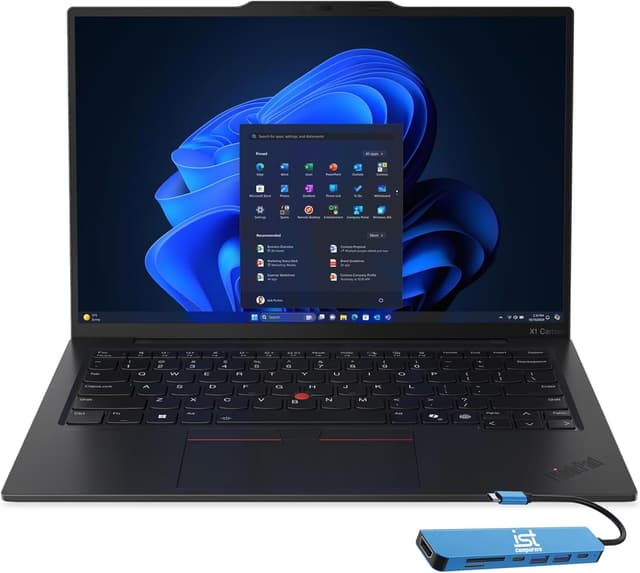
Best for business professionals going independent#2
Lenovo ThinkPad X1 Carbon Gen 12

Lenovo ThinkPad X1 Carbon Gen 12

Lenovo

โ˜…3.8

$14499/10

The machine corporate IT trusts, now working for you instead of them. Every port you need built in, the best keyboard in any ultrabook, and 32GB of RAM for running your entire escape plan.

Pros

  • โœ“Best-in-class keyboard makes long writing and coding sessions painless
  • โœ“Full port selection (Thunderbolt 4, USB-A, HDMI) means fewer dongles in your bag
  • โœ“32GB RAM handles every tab, app, and video call simultaneously

Cons

  • โœ—Premium price at $1,449 for this configuration
  • โœ—Standard IPS display lacks the vibrancy of OLED competitors

Key Specs

Display
14" WUXGA (1920x1200) IPS
Processor
Intel Core Ultra 7 155U
RAM
32GB LPDDR5-6400
Storage
512GB Gen4 NVMe SSD
Battery
~10.5 hours
Ports
2x Thunderbolt 4, 2x USB-A, HDMI 2.1
Check Price on Amazon โ†’
Best value pick#3
ASUS ZenBook 14 OLED

ASUS ZenBook 14 OLED

ASUS

โ˜…3.8

$6498.6/10

Proof you don't need to drain your savings to fund the escape. A stunning OLED display and solid performance at $649 leaves more budget for flights, coworking spaces, and the life you're building.

Pros

  • โœ“Gorgeous OLED display with 100% DCI-P3 color at a price that barely dents your escape fund
  • โœ“Intel Core Ultra 5 handles all standard remote work tasks without breaking a sweat
  • โœ“15-hour battery gives you a full day of freedom from wall outlets

Cons

  • โœ—Only 8GB soldered RAM with zero upgrade path
  • โœ—Slightly heavier than ultraportable competitors at 3.04 lbs

Key Specs

Display
14" WUXGA (1920x1200) OLED touchscreen
Processor
Intel Core Ultra 5 125H
RAM
8GB LPDDR5
Storage
512GB NVMe SSD
Battery
Up to 15 hours
Ports
Thunderbolt 4, USB-A, HDMI, microSD
Check Price on Amazon โ†’
Best for maximum battery life#4
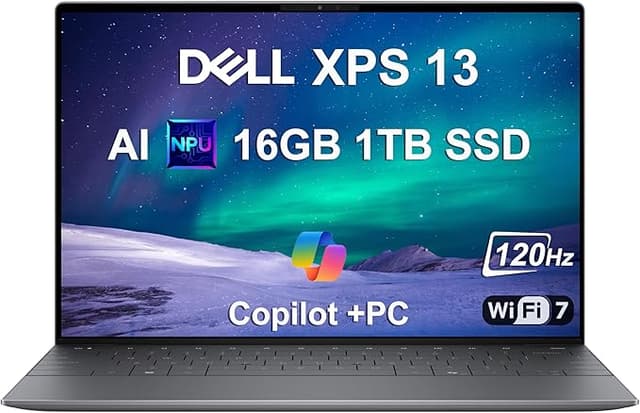
Dell XPS 13 9345

Dell XPS 13 9345

Dell

โ˜…4

$9998.8/10

27 hours of claimed battery life. Even at a realistic 18, that's a full workday plus a movie on the plane. The Snapdragon chip sips power while you work from places your old boss can only dream about.

Pros

  • โœ“Industry-leading battery life keeps you working through the longest travel days
  • โœ“Snapdragon X Plus delivers excellent performance per watt, stays cool without fans
  • โœ“2.6 lbs in an ultra-thin chassis fits any travel bag

Cons

  • โœ—ARM-based chip still has some Windows app compatibility gaps
  • โœ—Touch-sensitive function row is polarizing compared to physical keys

Key Specs

Display
13.4" FHD+ (1920x1200) 120Hz
Processor
Qualcomm Snapdragon X Plus
RAM
16GB LPDDR5X
Storage
1TB SSD
Battery
Up to 27 hours (claimed)
Ports
2x USB-C, Wi-Fi 7
Check Price on Amazon โ†’

Frequently Asked Questions